Table of contents
Display of your digital addresses
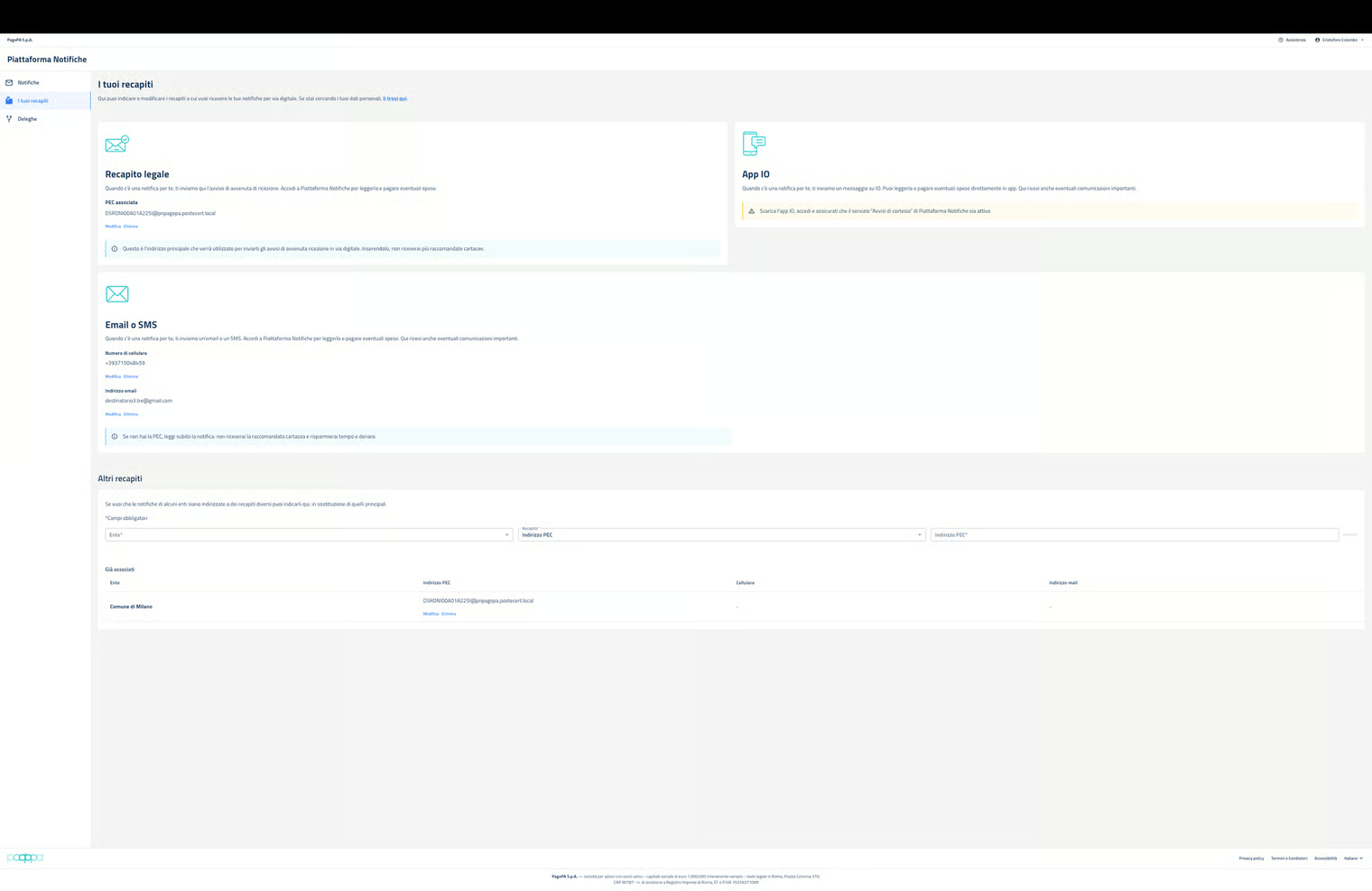
The page shows the digital addresses configured by the user, divided among:
- “Legal address”, the PEC/SERCQ address to which NP notifies the notice of completed reception (NCR), containing the information for accessing NP and viewing the notified document and make any required payments.
- “IO app” - by activating the “Courtesy notice” service - to receive a message from NP in app that permits direct access to the notification present on NP to read it and make any payments.
- “Email or SMS”, the email address and/or cell phone number to which NP sends a message with a notice of the presence on NP of a notification, in order to access it to read it and make any payments.
- “Other addresses”, any additional PEC/SERCQ addresses, emails or cell phone numbers to be associated with notifications coming from specific institutions, that NP will therefore use as an address for the recipient only for the communications originating from one of them.