Table of contents
Acceptance of a delegation
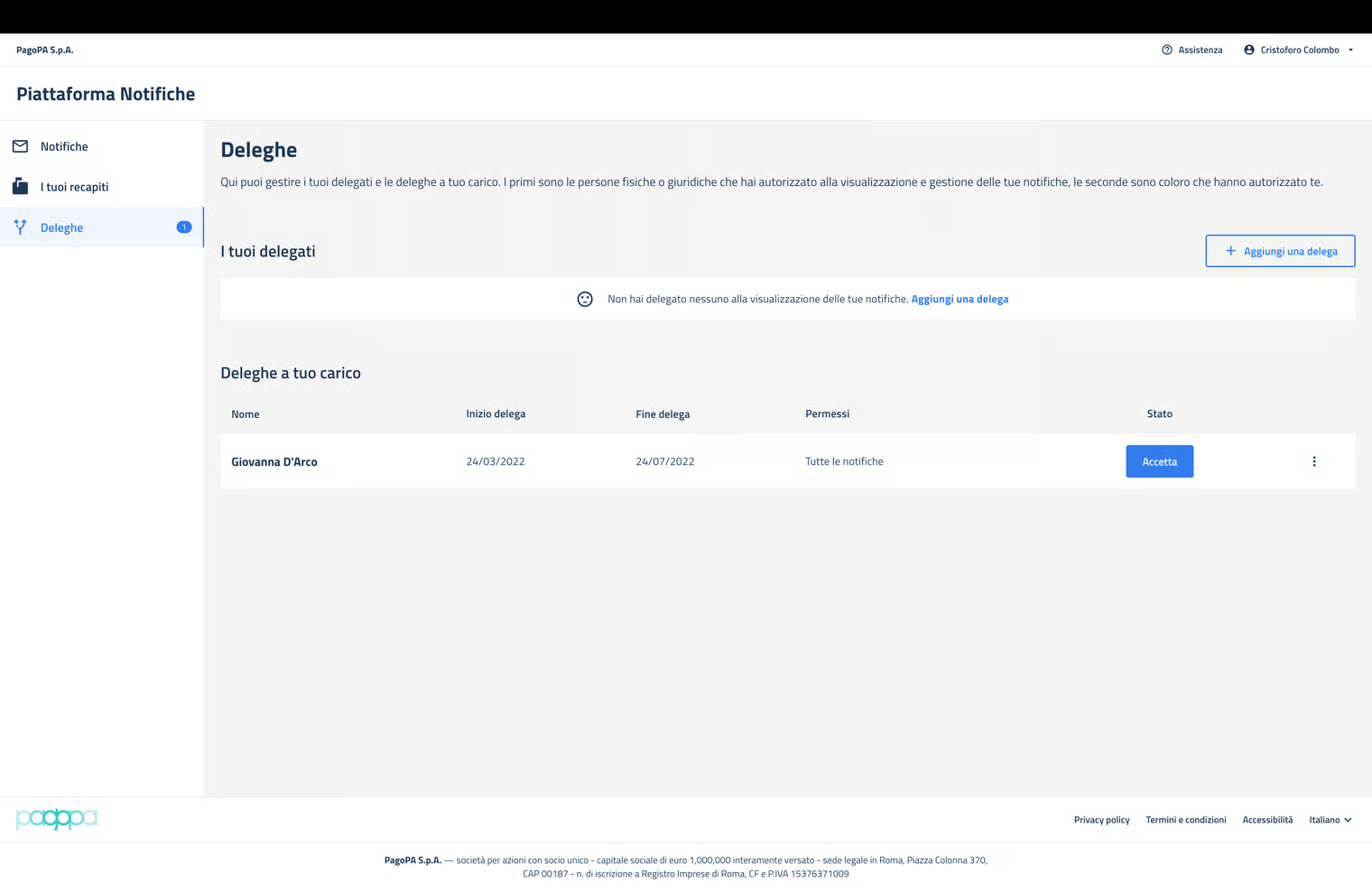
The delegate accepts a delegation by pressing the “Accept” button located to the side of the delegation to be accepted.
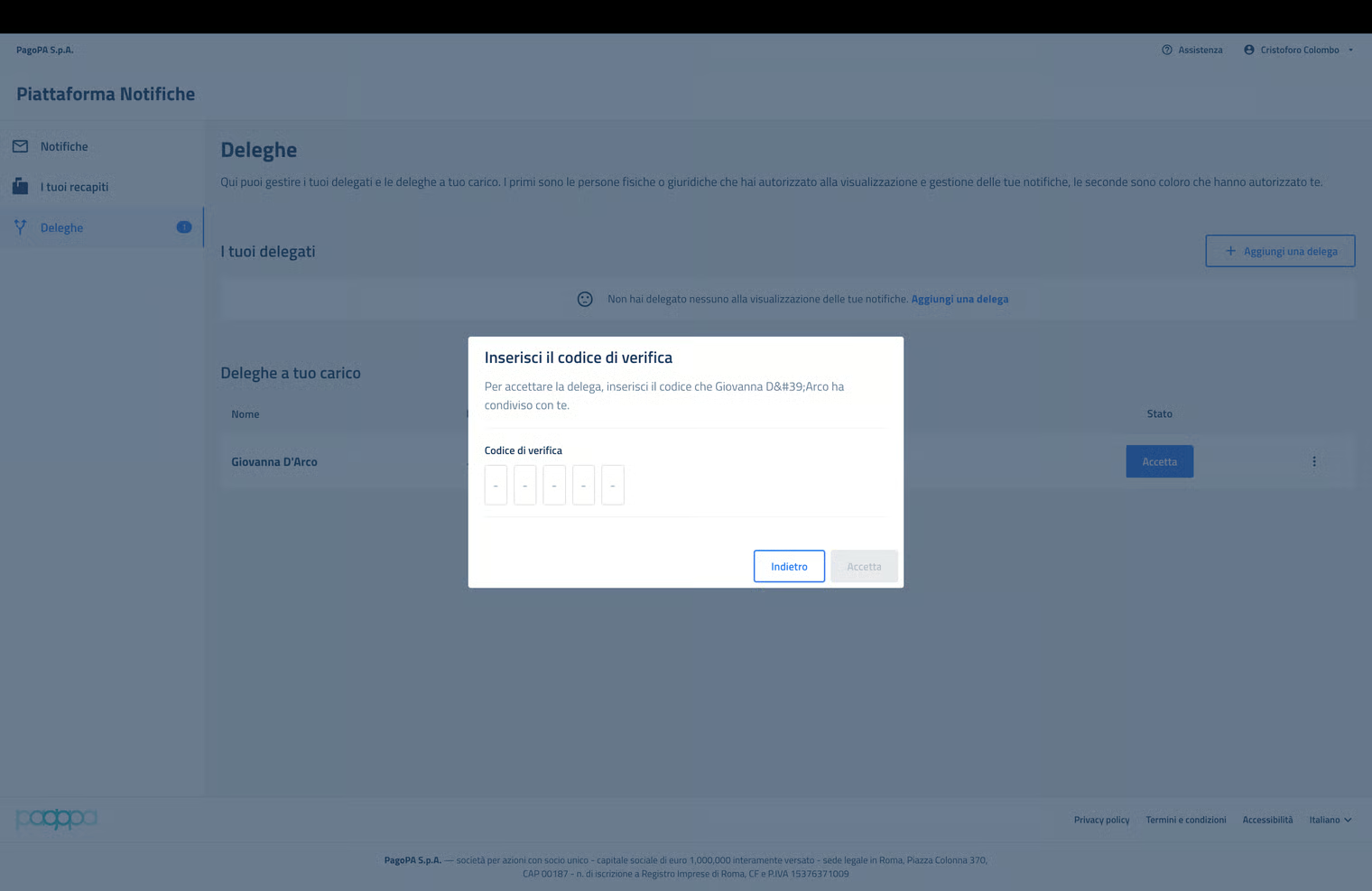
At this point, the delegate is requested to enter the acceptation code provided by the delegator.
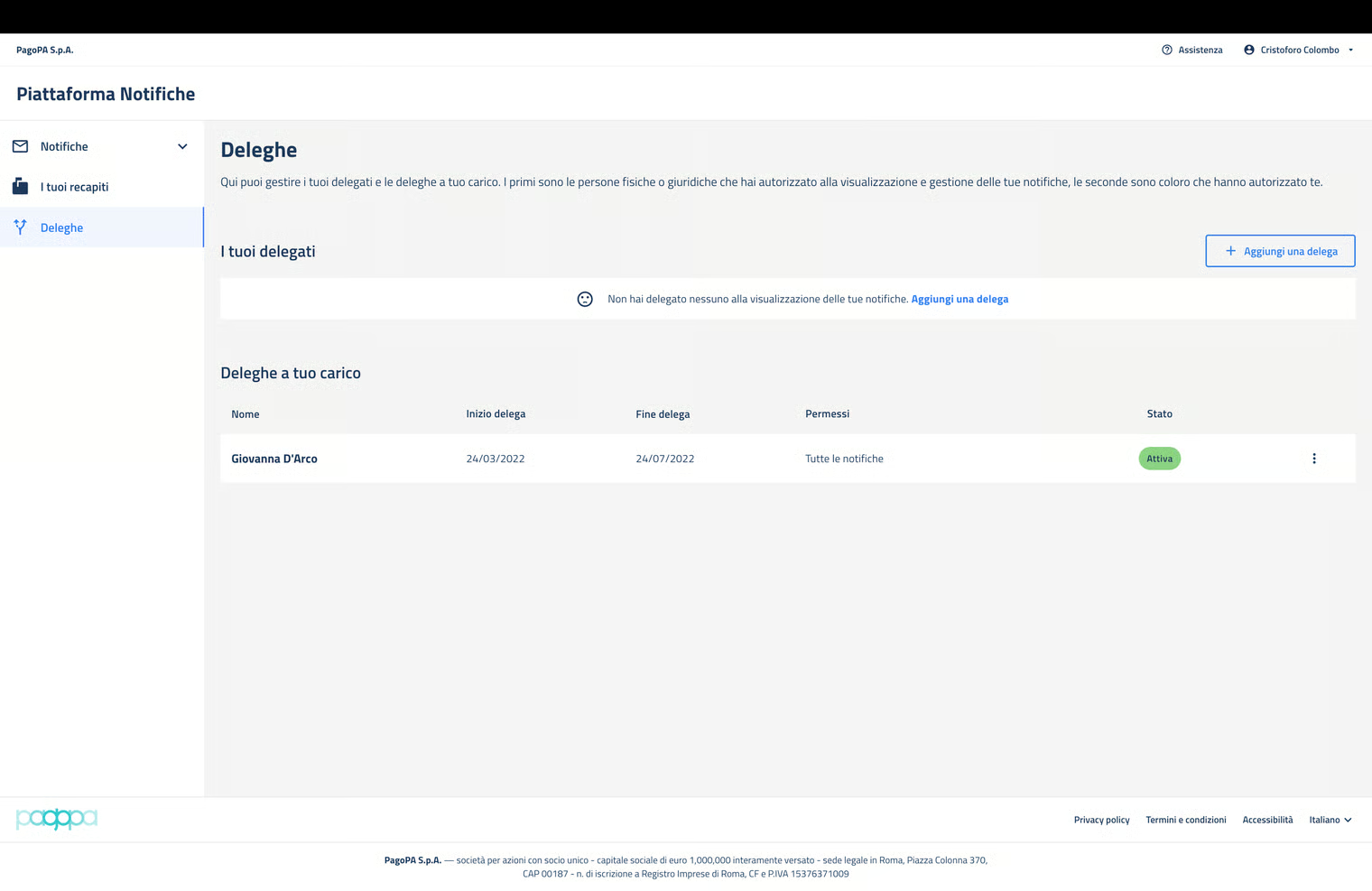
If the code is correct, the status of the delegation becomes “active”.