Table of contents
Manual sending of a notification
The manual sending of a notification is done by selecting “Notifications” and pressing the “Send notification” button located on the page that displays the sent notifications.
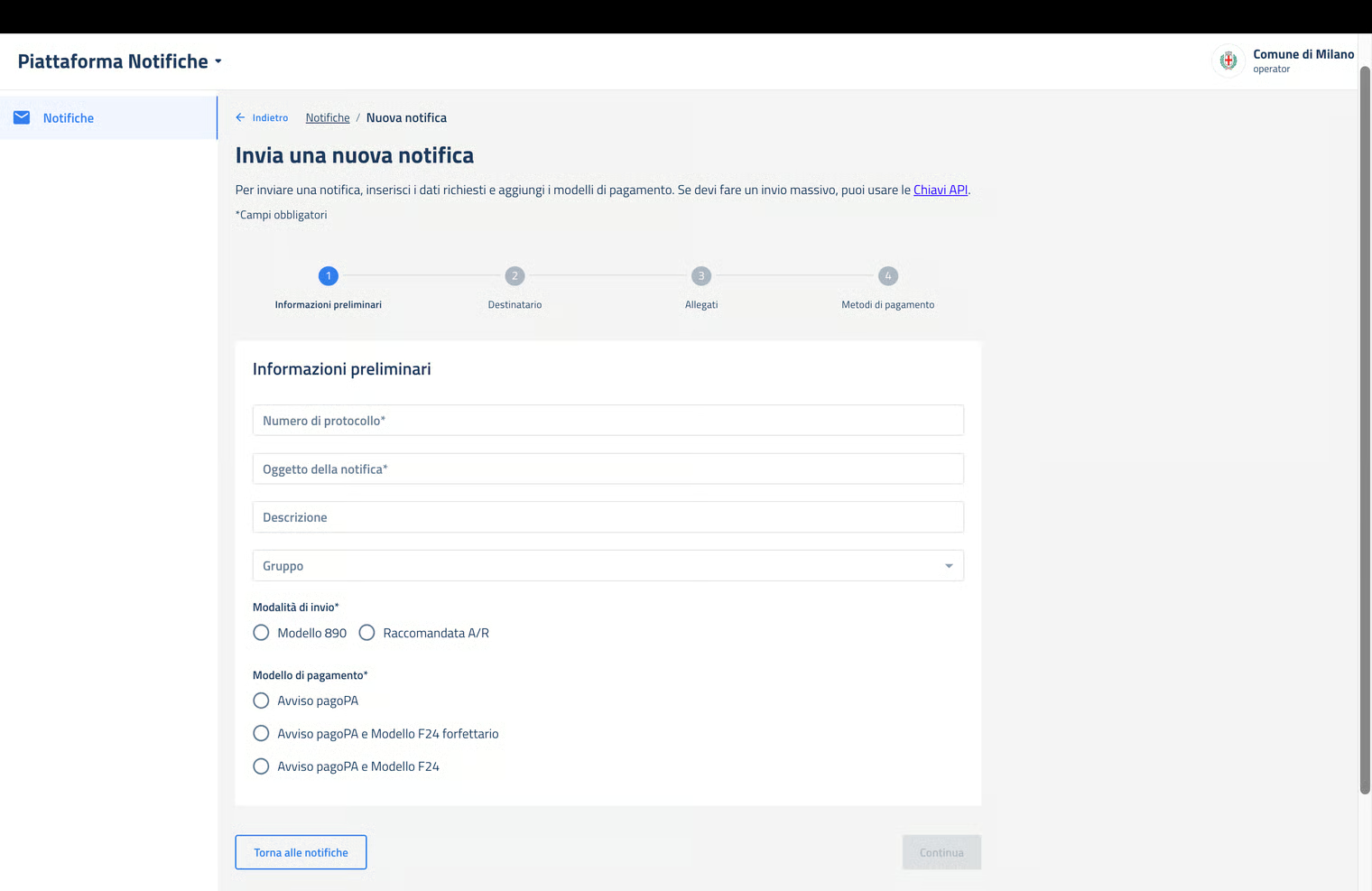
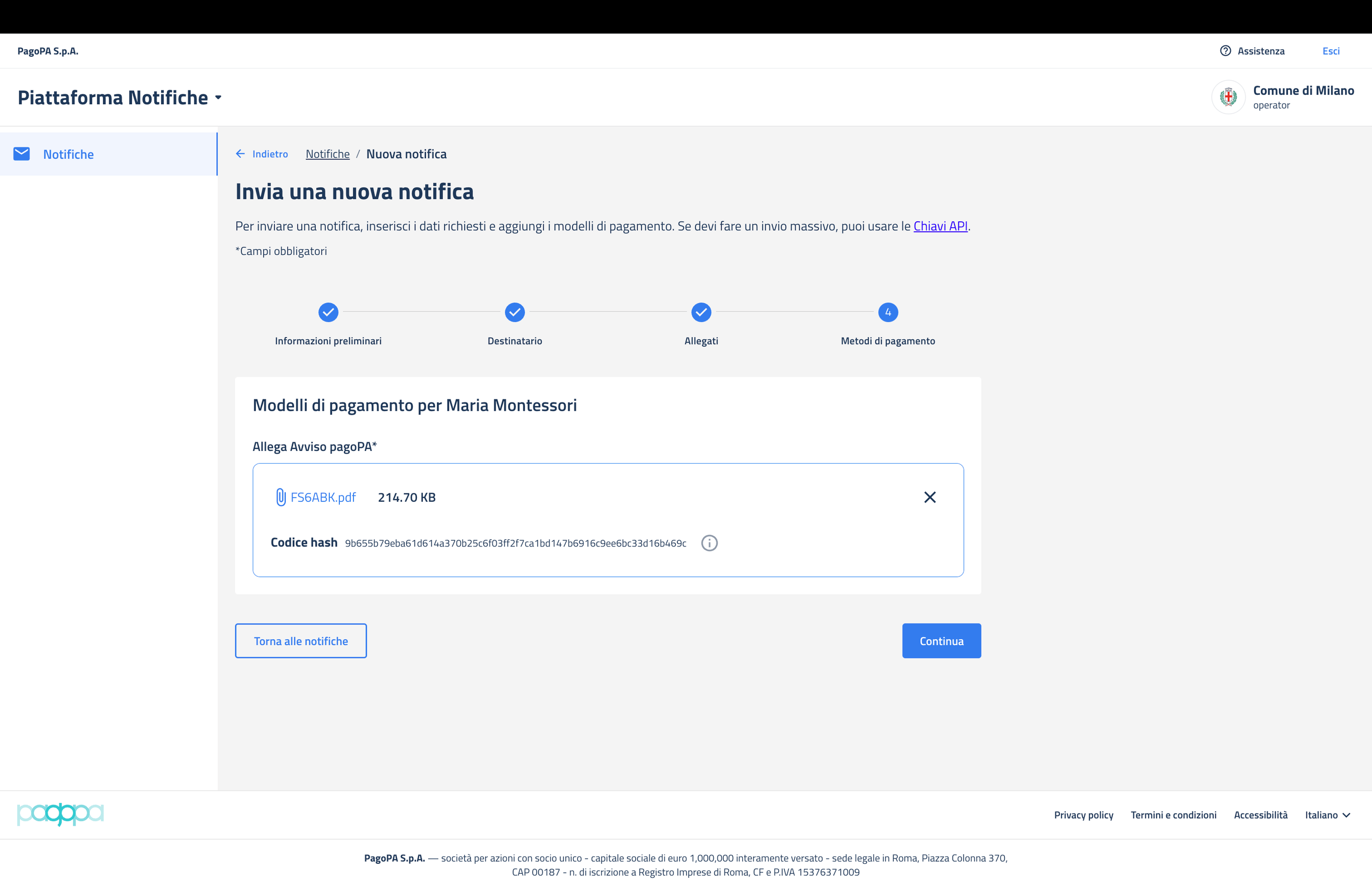
Pressing this button opens a new page that has 4 sections for compilation: preliminary information, recipient(s), attachments and payment method.
The mandatory information for the first section is: protocol number of the notification (supplied by the PA's protocol office) and the subject of the notification.
The optional fields are: the description related to the subject and the group to be used for the notification among those active and attributed to the user.
If the user belongs to a specific group (see the group configuration), the relative field becomes mandatory.
The operator must also select: the method specified by the PA for sending the paper copy, the specified payment method (pagoPA and/or F24).
Entering the requested data enables the “Continue” button to go to the next section.
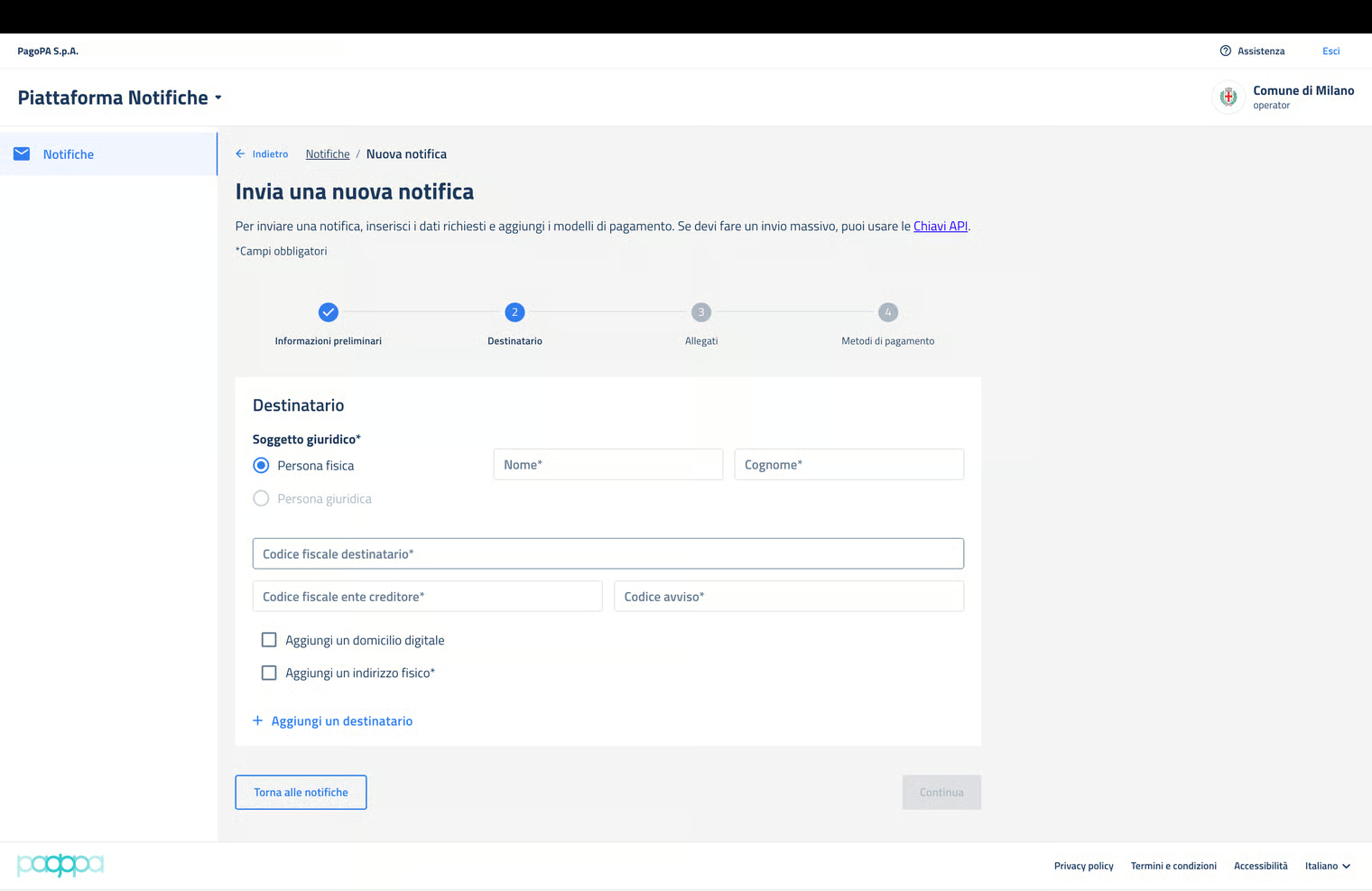
The second section includes the following mandatory fields for each of the recipients: identification of the recipient legal entity (physical person/legal person), first and last name, fiscal code of the recipient, fiscal code of the creditor and notice code for the payment.
The digital domicile and the physical address of the recipient are optional information.
If the notification concerns multiple recipients, the required information must be provided for each of them, clicking on “Add a recipient”.
Entering the requested data enables the “Continue” button to go to the next section.
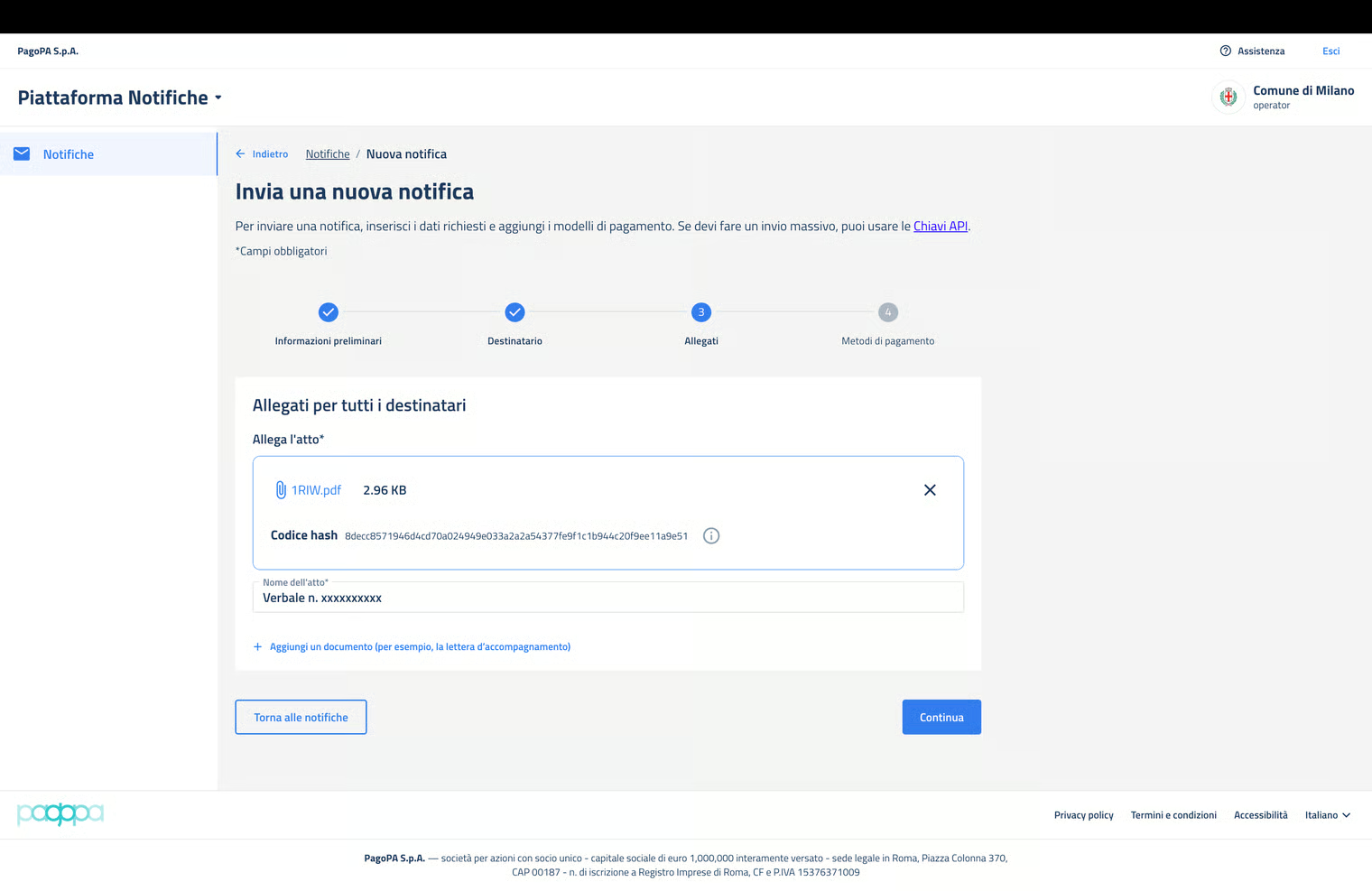
The third section requires uploading as an attachment at least one digitally signed PDF document, possibly also containing the payment notice.
The PA can attach multiple documents if they are separated in different files.
Once the files are attached, the hashes SHA-256 of the documents that will be sent to NP for verification are presented to the user.
Entering the requested data enables the “Continue” button to go to the next section.
The forth and last section requires attaching the document related to the previously selected payment method.
Entering the required data enables the “Send” button to complete the notification creation session.
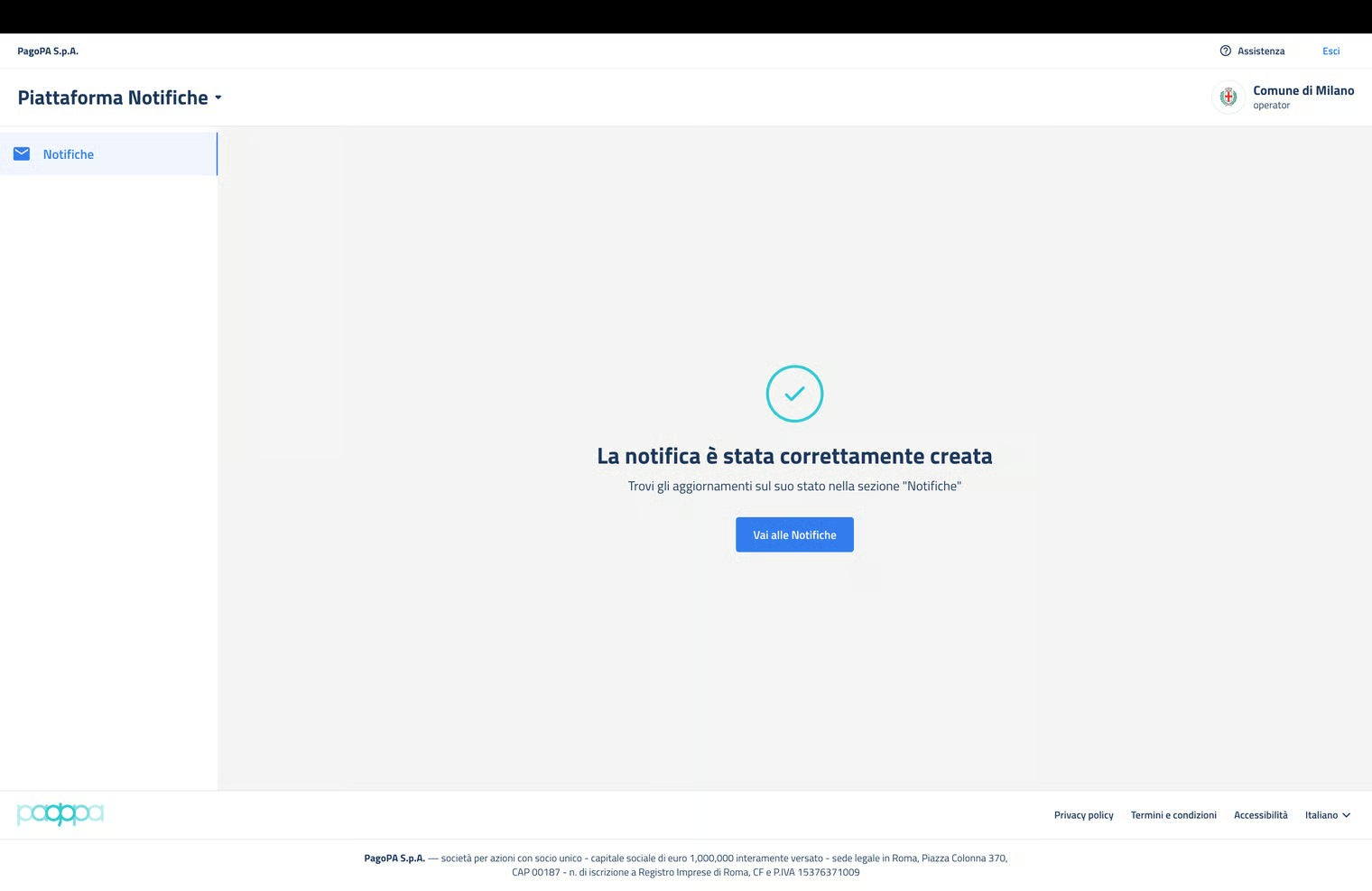
The notification was created and at the end of the verification process (within 5 minutes from its creation), NP displays the notification and the relative IUN in the list of sent notifications. At this point, the user can view additional details on the notification display page.