Table of contents
Add attachments
What are attachments
They are PDF documents shown at the bottom of the message content. These attachments are retrieved by the systems of the sending institution each time the user accesses the resource in the IO app.
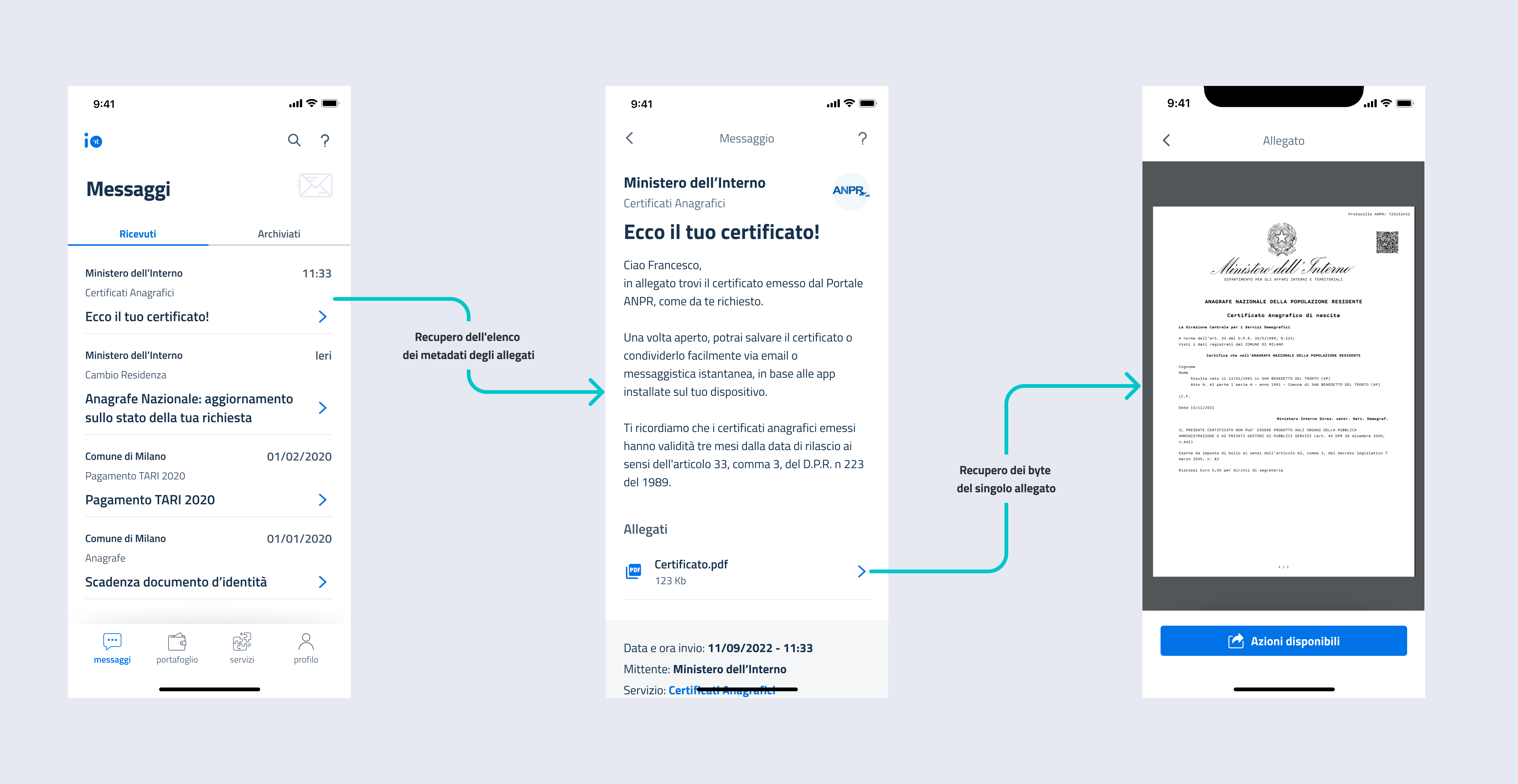
How does it work?
Step 0- Show the retrieval endpoints for the attachments
To permit IO to retrieve the content of a message and its attachments, **you must make a **REST web service available in compliance with the relative OpenAPI.
For more information, read OpenAPI recovery endpoint of remote content.
To include the attachments in a message, in addition to the steps indicated in ., you must follow these steps:
Step 1- Include the block Third_party_data
Include the Third_party_data block, specifying the reference Remote configuration and the id which IO returns to you when it asks you for the metadata and, subsequently, the bytes of the attachments to the particular message you are sending.
Step 2- Specify the value TRUE in the field Has_attachments
Step 3- Specify the value ADVANCED in the field Feature_level_type
Specify the value ADVANCED in the field Feature_level_type present in the request.
Examples
Example of a call for sending a message with attachments:
1curl --location --request POST 'https://api.io.pagopa.it/api/v1/messages' \ --header 'Ocp-Apim-Subscription-Key:<YOUR_API_KEY>' \ --header 'Content-Type: application/json' \ --data-raw '{ "content": { "subject": "Message with attachments", "markdown": "# Title\n\nMessage text: contains **attachments**!", "third_party_data": { "id": "c7832d5f-5946-48a3-ba9d-2d1e3aa3f7e5", "configuration_id": "0e9852ccb8a04128bd637c807b9d80d3", "has_attachments": true } }, "feature_level_type": "ADVANCED", "fiscal_code": "<validFiscalCode>", }'
2Example of a positive response:
1{ "id": "01BX9NSMKVXXS5PSP2FATZMYYY" }
2
Haven't completed onboarding yet and need help?
Write an email describing your problem or question to the address areariservata@assistenza.pagopa.it.


Tell us what you think
To report problems or give feedback, leave a comment in the GitHub space of the IO app